
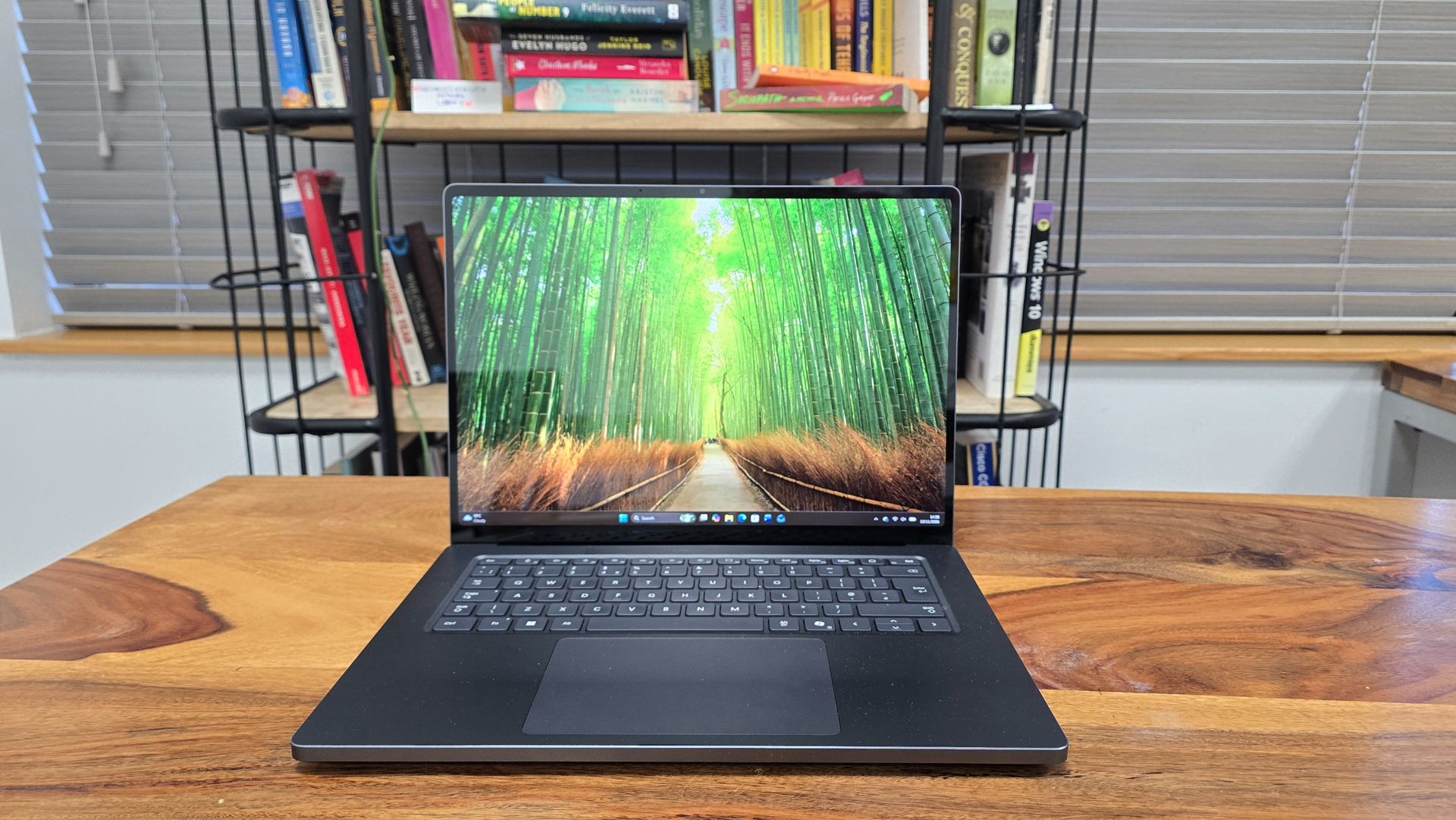
At a glance: Microsoft Surface Laptop Ultra

What is it?
The Surface Laptop Ultra is Microsoft’s first laptop powered by Nvidia’s RTX Spark chip. Surface devices began life as flagship Microsoft products designed to rival Apple’s sleek MacBook and iPad devices. They never hit those kinds of heights, but they did showcase the latest Windows features well. Microsoft had seemed to lose interest in the Surface lineup recently, so it’s great to see this reimagined Surface Laptop with cutting-edge hardware.

What does it cost?
Brace yourself. Like other RTX Spark-powered laptops, the Surface Laptop Ultra is a powerful, premium device aimed at creative professionals and built for heavy AI workloads, and the price reflects that. It starts at $2,599.99 / £2,599 / AU$4,399 for the base model, which will put it out of reach for many people. You should view this more as an investment in a work tool than a new laptop to browse the web with.

Alternatives
The Microsoft Surface Laptop Ultra launched alongside a number of RTX Spark-powered laptops from rivals, including the Asus ProArt P16 RTX Spark, all of which are premium laptops with powerful RTX Spark hardware aimed at professionals. Each model varies to some degree, and Nvidia seems especially taken with the Surface Laptop Ultra (possibly due to the close partnership between the company and Microsoft). Still, it means the Surface Laptop Ultra has launched into an already-crowded marketplace, and Apple has just released its 16-inch MacBook Pro with PROLED XDR touchscreen display.
Microsoft Surface Laptop Ultra review: Value for money
As with other RTX Spark laptops and the latest MacBook Pro with PROLED XDR Display, the Surface Laptop Ultra’s value-for-money proposition will really depend on your professional workload. This is absolutely not a laptop for general day-to-day use. Even if you're a creative professional, with the laptop starting at $2,599.99 / £2,599 / AU$4,399 for the base model, you’ll need to think carefully about whether this is the right laptop for your needs.
The base model comes with the Nvidia RTX Spark N1X chip, 24GB of unified memory and 512GB SSD. The N1X chip is made up of an Nvidia Blackwell RTX GPU with 5,120 CUDA cores and an 18-core Nvidia Grace CPU. The unified memory is shared between graphics and compute, much like Apple’s M-series chips (which, along with the RTX Spark, are based in Arm architecture).
This is rather a lot of jargon, but basically the N1X chip is an extremely powerful bit of silicon that specializes in graphically intensive workloads, such as rendering complex 3D scenes, as well as on-device AI. Because of this, you should really consider what kind of tasks you’ll be using the Surface Laptop Ultra for, as there are more affordable laptops out there for most needs.
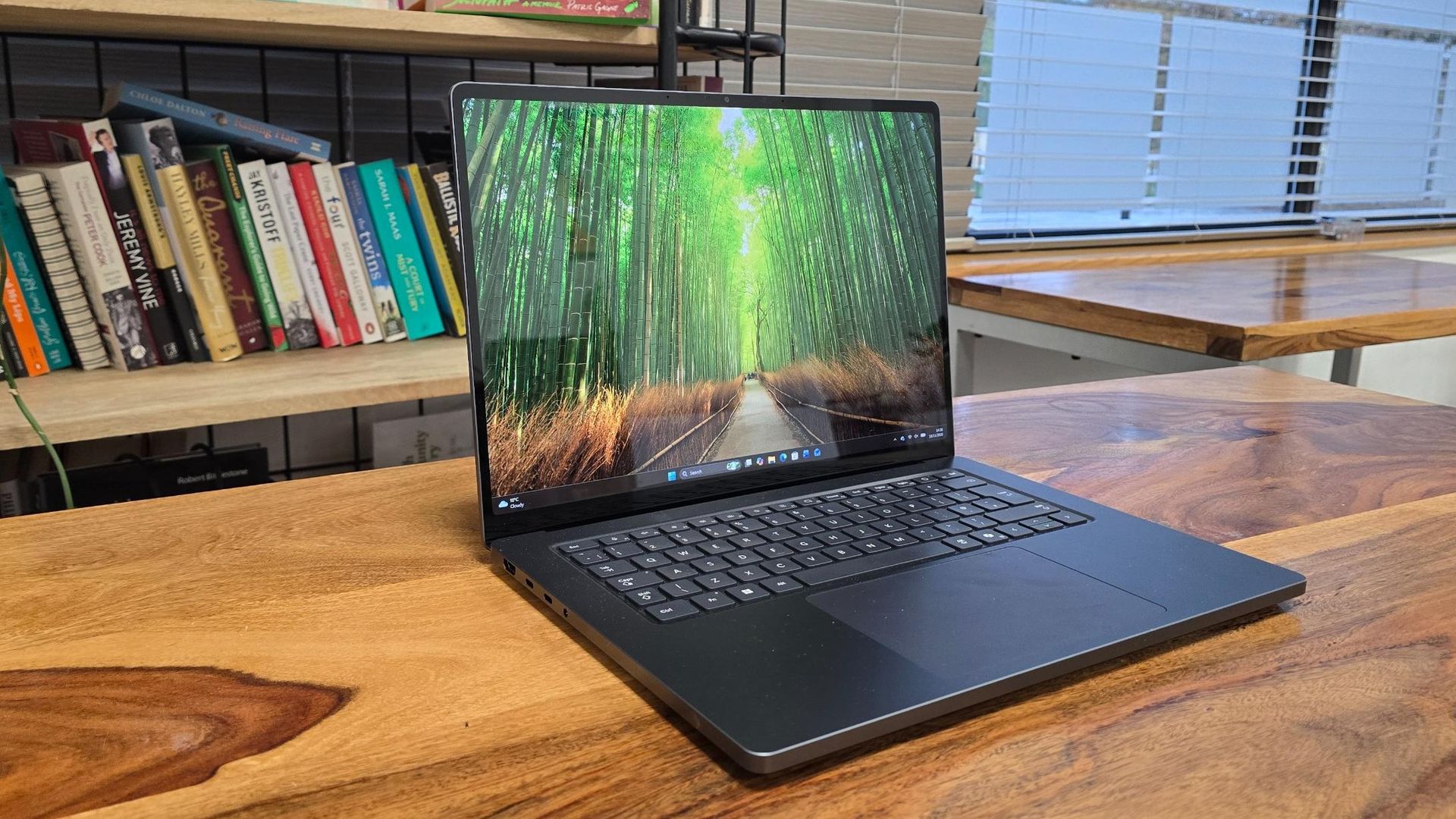
One thing that stands out about the specs of the Surface Laptop Ultra’s base model is the 512GB SSD, which feels rather paltry for such an expensive laptop, especially one aimed at creative professionals who will likely have lots of very large files. With Windows 11 taking around 100GB alone, this machine could fill up quickly — it’s a surprising (and disappointing) choice.
The Surface Laptop Ultra’s biggest competitor, the 14-inch MacBook Pro with PROLED XDR Display, starts at $2,899 / £2,899 / AU$4,599. That is more expensive, but I would argue it's better value, as it comes with 1TB of storage (better for working with large files) and its tandem OLED screen is much better than the PixelSense Ultra display of the Surface Laptop Ultra.
So, does the Surface Laptop Ultra offer value for money? That will really depend on whether or not you need a workstation laptop for heavy-duty workloads, especially graphic design and local AI — and even then, there are alternatives that could save you time and money in the long run, despite a higher initial outlay.

So, the Surface Laptop Ultra’s value will really depend on whether you need a workstation laptop for heavy-duty workloads, especially graphic design and local AI, though there are alternatives that could save you time and money in the long run, even if they come with a higher initial outlay. View Deal
Microsoft Surface Laptop Ultra review: Design
- Solid and stylish design
- Arguably a bit boring-looking
- Good selection of ports
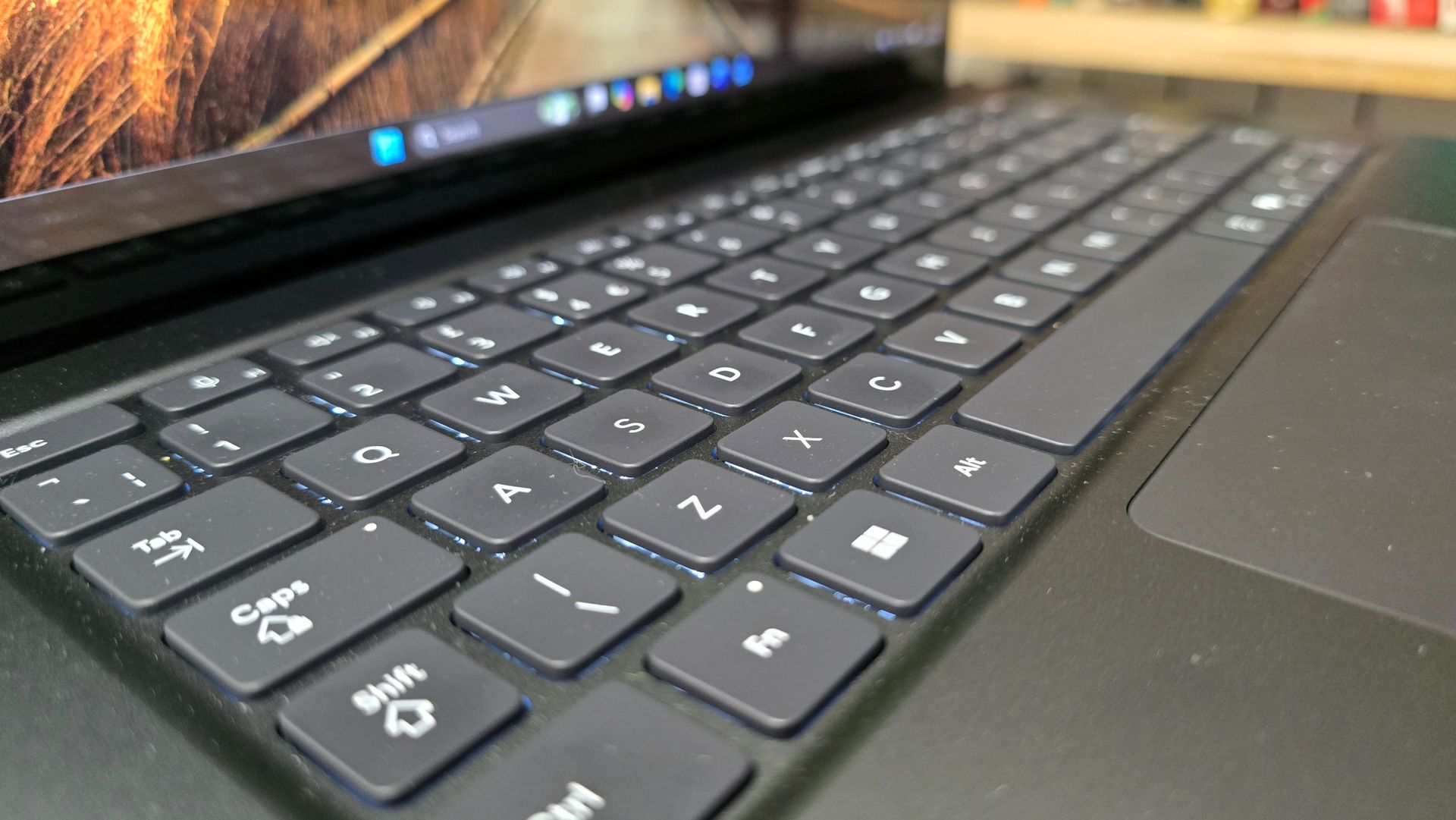
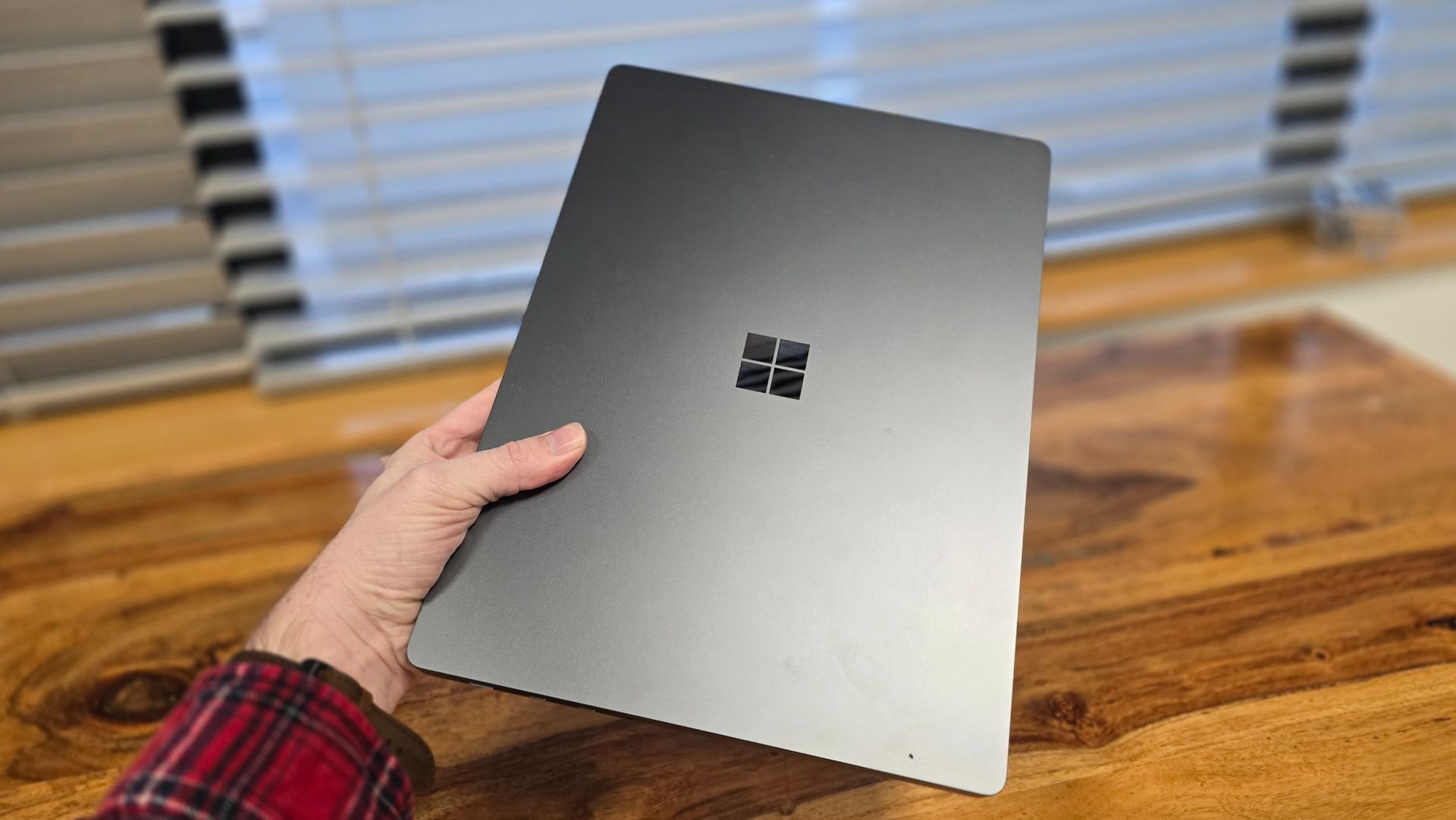
The Microsoft Surface Laptop Ultra certainly looks like a Surface device. What I mean by that is that it looks and feels solid and premium, with a minimalist, professional look that means you won’t be embarrassed using it in an office or studio, or taking it out in front of clients. However, that also means there’s not much to be excited about.
It falls victim to the same issue a lot of premium professional laptops encounter – it looks much like a MacBook Pro, but with a different logo. Again, there’s nothing particularly wrong with that, but it’s getting a bit boring. I include Apple itself in this criticism as well, by the way.
One concern that applies to both the new touchscreen MacBook Pro and Surface Laptop Ultra is that the usability of a touchscreen on a traditional laptop, rather than a 2-in-1 device where the screen can lie flat on a surface or flip around to turn into a tablet-like device, is limited. Although, in the Surface Laptop Ultra’s defence, Windows 11 is much better suited to touchscreen use than macOS currently is. Still, I can’t imagine many professionals making use of the touchscreen that often, especially for tasks where precision is essential. There are RTX Spark-powered laptops, such as the MSI Prestige N16 Flip AI+, that offer 2-in-1 designs (and the MSI can be configured with a tandem OLED touchscreen).
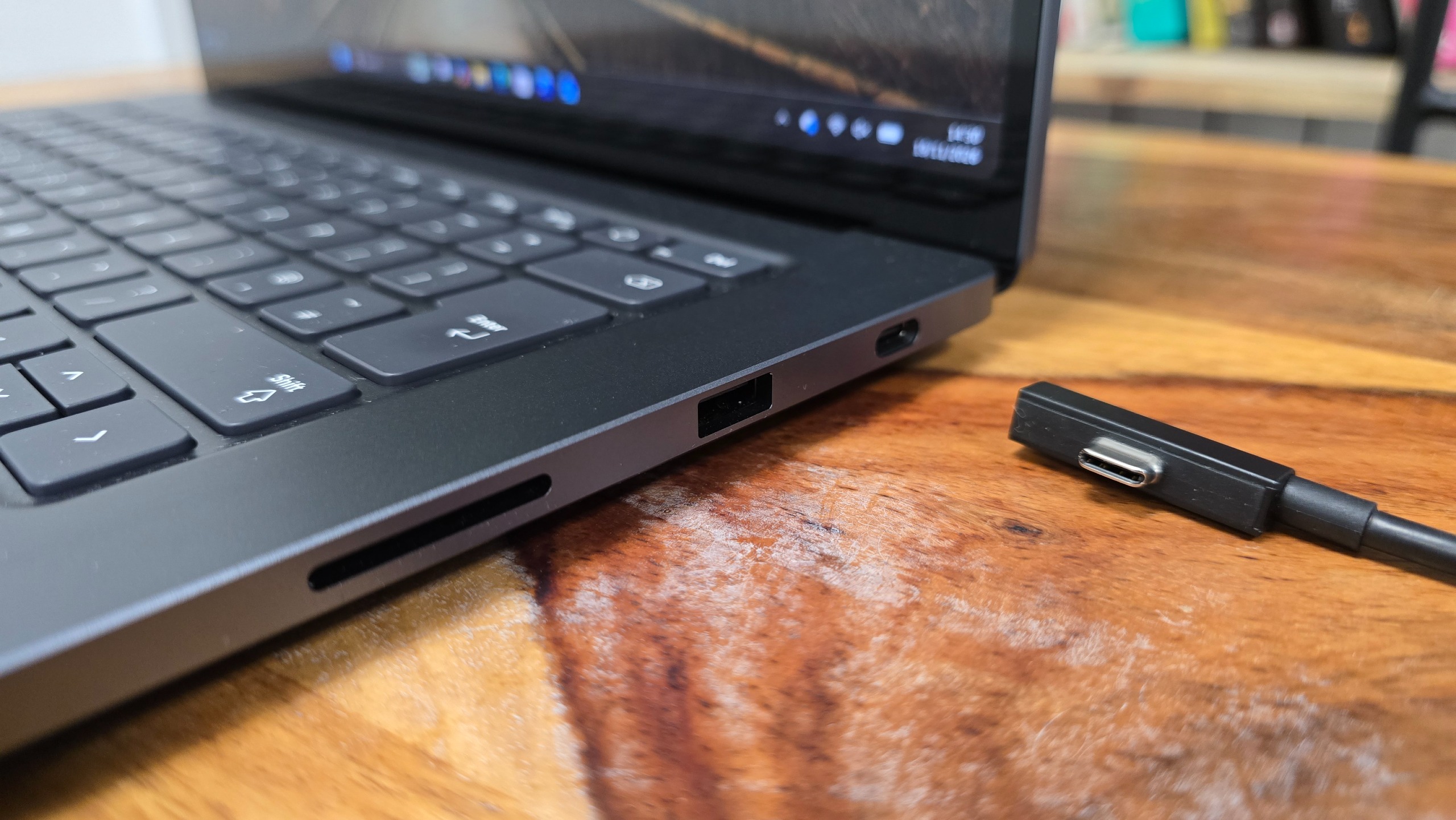
Magnetic Connect cable
Included with the Surface Laptop Ultra, this cable includes magnets that make it easier to plug into certain USB-C ports
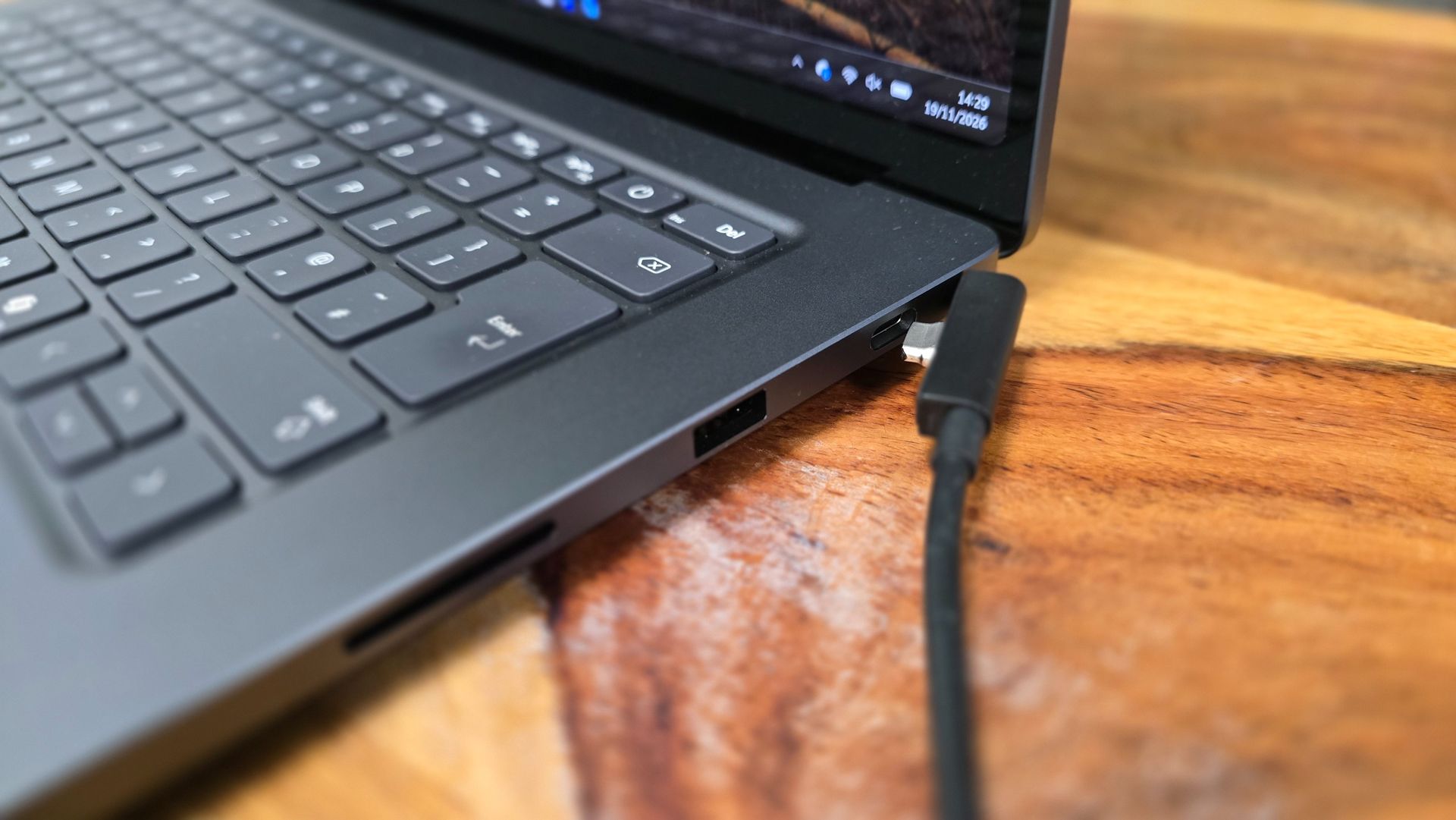
USB-A port
The inclusion of a USB-A port means you can plug in older peripherals without an adapter
SD card reader
If you're a photographer, you can plug your camera's SD card directly into the Surface Laptop Ultra

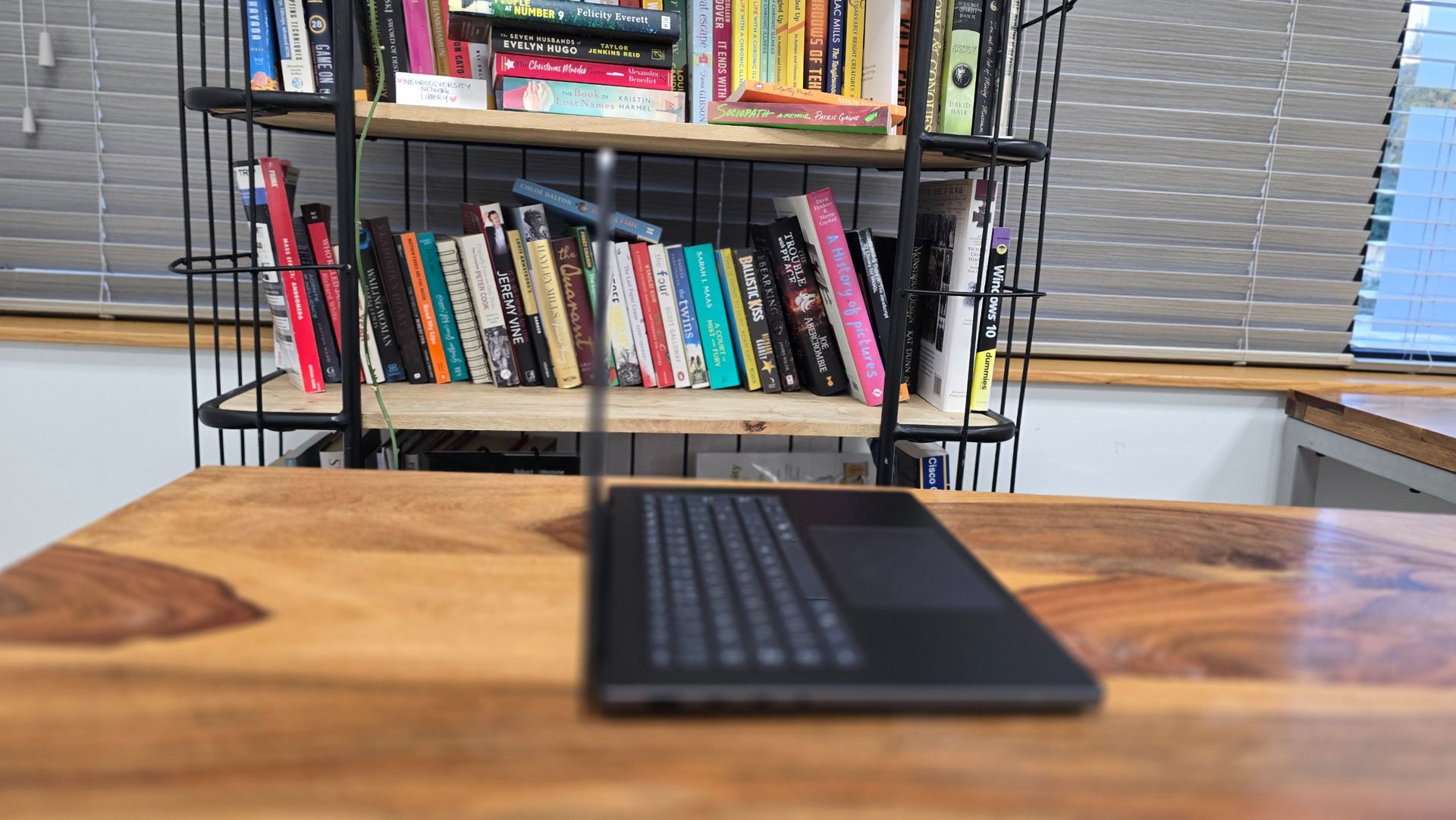
With dimensions of 0.75 x 9.4 x 13-inches (19.05 x 239 x 330mm) and a weight of 4.41 pounds (2kg), it certainly feels durable and well-built, but this does come at the cost of portability. It’s noticeably heavier than the larger 16-inch MacBook Pro (4lbs (1.82kg), and that means it’s not the most comfortable laptop to carry around with you all day. Arguably, this is a desktop-replacement laptop, so power is more important than being thin and light. If you want something you can pop in a bag and not really notice it’s there, this isn’t it.
Having said that, the sturdy build quality meant I never worried about putting the Surface Laptop Ultra in my backpack in case it got damaged.
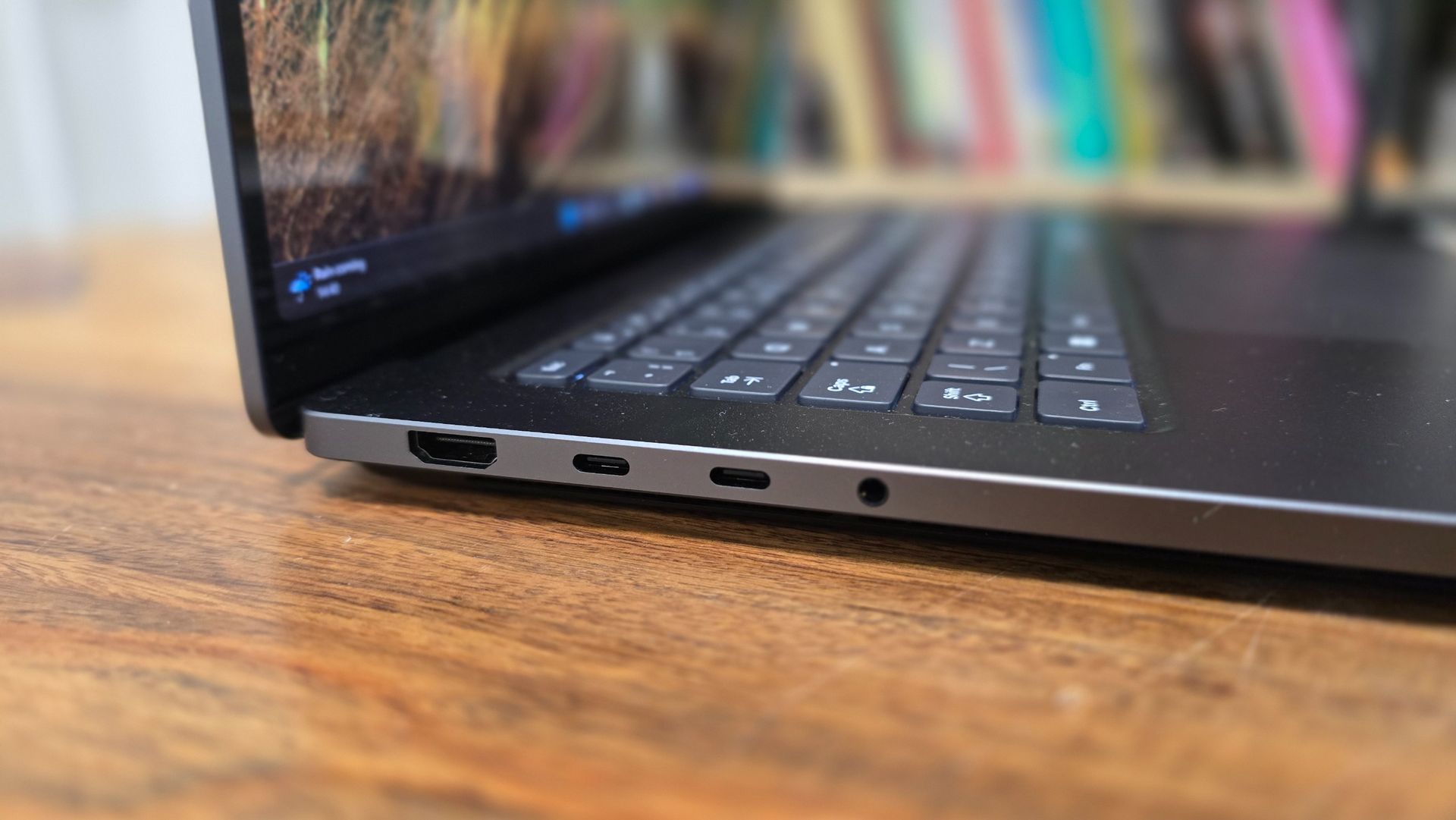
The larger frame also offers space for a decent selection of ports – something that’s essential for professional workstation laptops, but can often be neglected by manufacturers – with three USB-C ports (offering USB4 speeds), a full-size HDMI 2.1b port, a USB-A 3.1 port (handy for people who need to plug in older USB peripherals), an SD card reader and a 3.5mm headphone jack.
This selection of ports means that unless you have a lot of external peripherals to plug in, you won’t need hubs or converters.
The USB-C port on the right-hand side features ‘Magnetic Connect ’, which allows the included USB-C Magnetic Connect cable to connect easily via magnets. Unlike Apple’s proprietary MagSafe port on its laptops, which offers a similar way of connecting, when not used for charging, the Magnetic Connect port acts as a regular USB-C port.
So, it’s more useful than the MagSafe port, which can’t be used for anything else, arguably wasting space, but I’m not quite sure why it’s included. MagSafe, for all its faults, allows a charger to easily connect and disconnect via magnets, so if you accidentally tug the power cable, you don’t damage the laptop. However, USB-C ports are designed to be easy to use (there’s no ‘right-way up’) and hold on to what’s plugged in securely, which kind of negates the point of adding magnets to the port. If you were to pull on the power cable when plugged in, it doesn’t release more easily (or safely) than if it were in any other USB-C port.
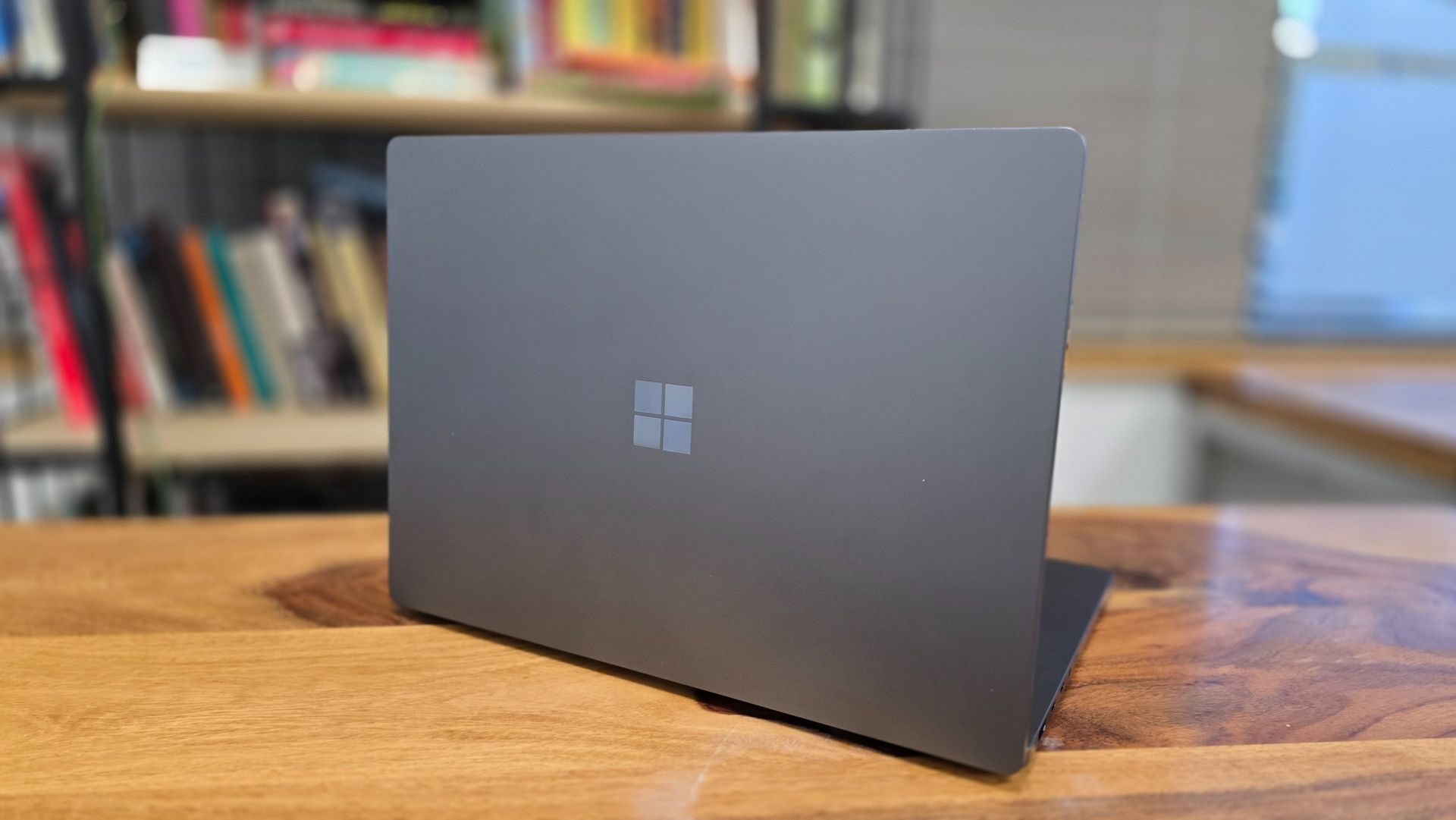
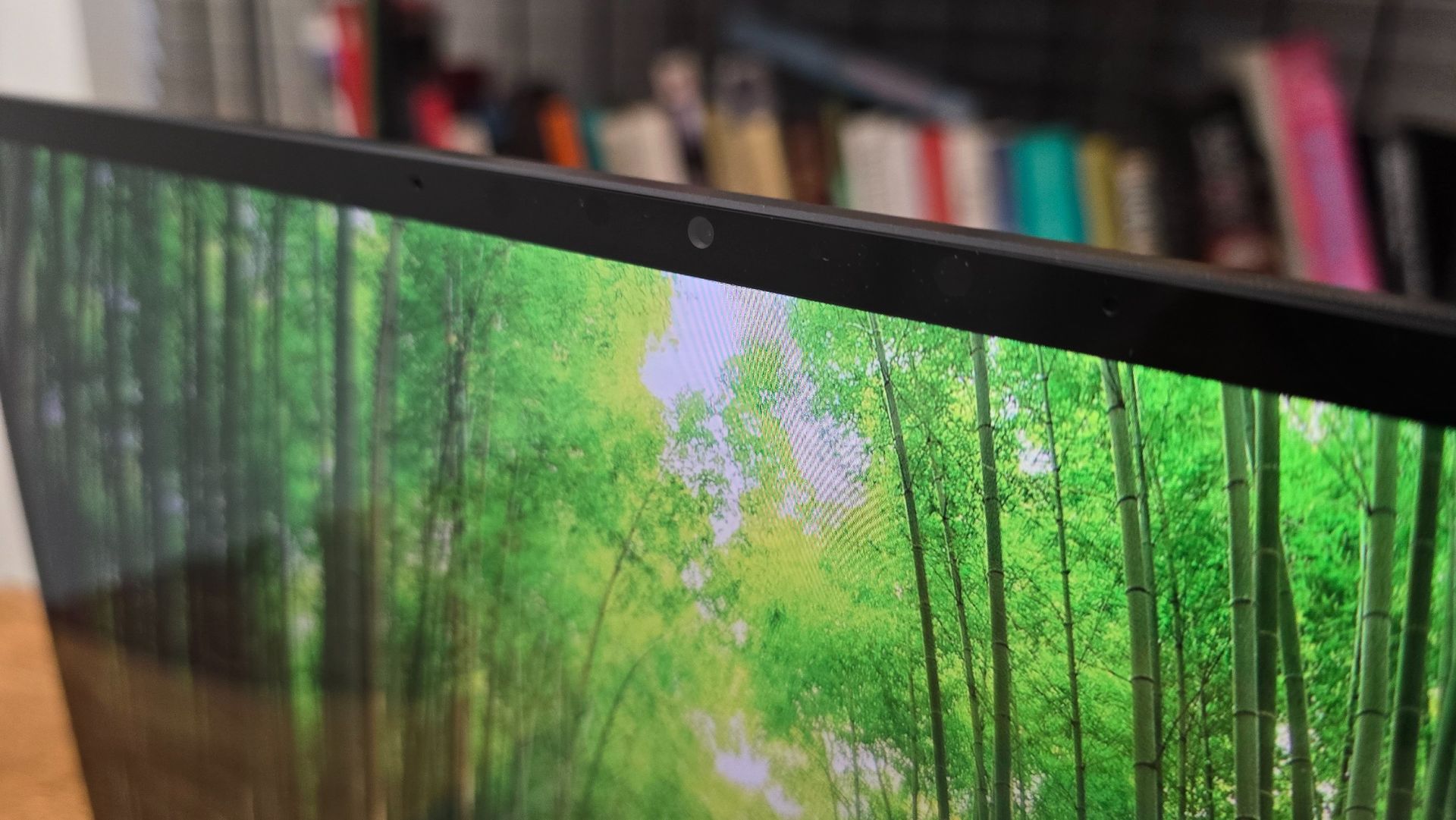
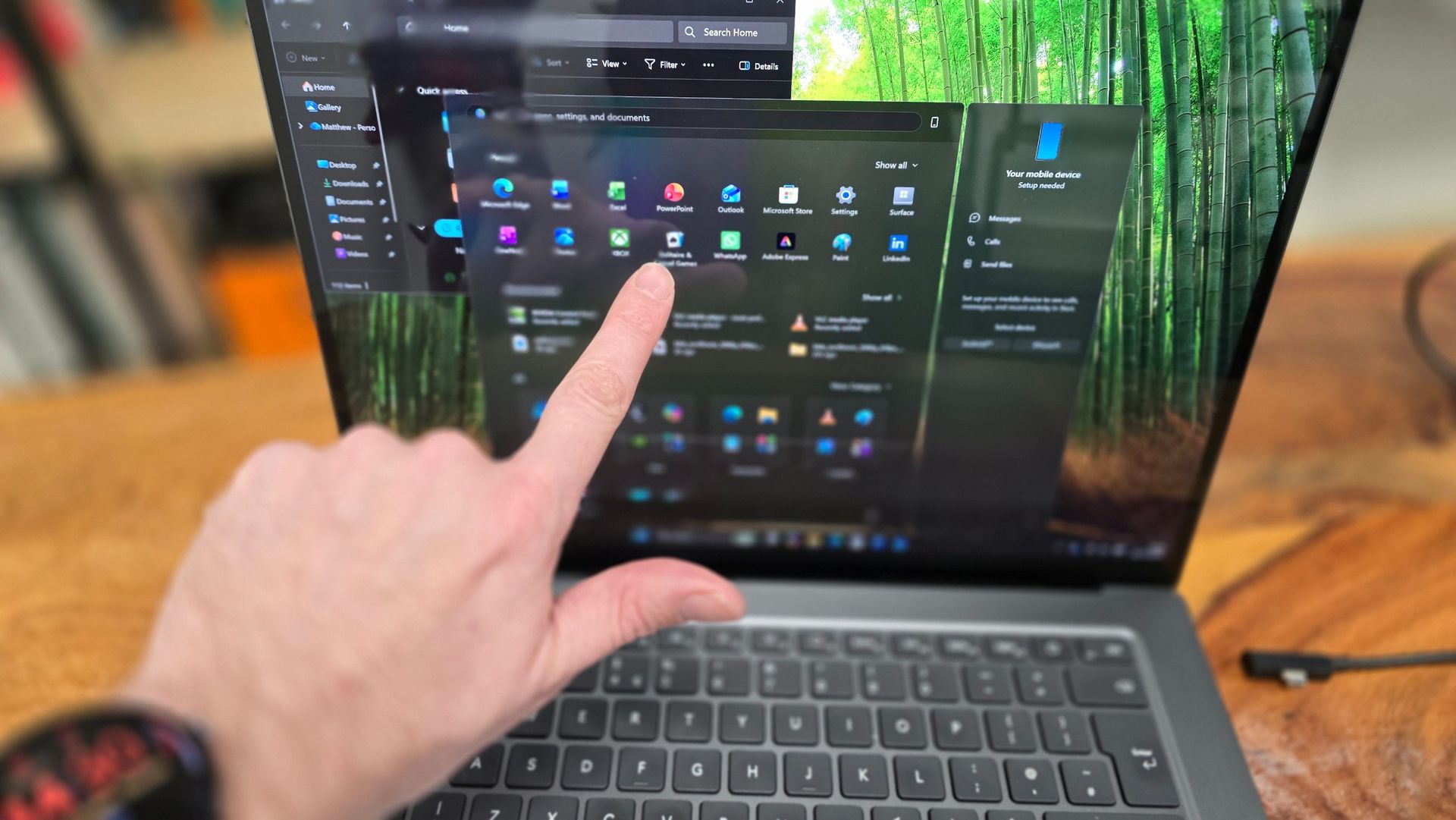
The display is bright, and with its 4K resolution, it’s nice and detailed. As I mentioned earlier, there are better displays on the market (and ones that offer better color accuracy, which is essential for photographers and videographers, in particular), but that’s not to say that the mini LED screen of the Surface Laptop Ultra is poor – far from it. It’s bright and vibrant, and the adaptive (up to 120Hz) refresh rate keeps things feeling smooth and responsive.
My favorite thing about the Surface Laptop Ultra’s design, however, is that its SSD is (relatively) removable, unlike a lot of its rivals (especially Apple), which solder (or glue) on the SSD, making it impossible to replace or repair without voiding the warranty.
With the Surface Laptop Ultra, you can unscrew the bottom of the laptop and access the SSD, as well as the battery and fans, and as long as you have the necessary tools, you can replace or fix these (or have them professionally repaired).

This means that, should something go wrong, depending on the affected components, it should be less expensive to fix – and that should also mean there’s less e-waste, as Microsoft wouldn't need to scrap the entire laptop just because one part is no longer working. It should also make upgrading the SSD easier, which goes some way to addressing my earlier complaints about the rather paltry (for a pro laptop in 2026) 512GB SSD in the base model.
Microsoft Surface Laptop Ultra review: Specs
Specification | Base configuration | Mid-range configuration | Review configuration | Highest configuration | |
Processor | NVIDIA RTX Spark N1X | NVIDIA RTX Spark N1X | NVIDIA RTX Spark N1X | NVIDIA RTX Spark N1X | |
CPU Cores | 18 | 18 | 20 | 20 | |
GPU Cores (Blackwell) | 5,120 | 5,120 | 6,144 | 6,144 | |
Unified Memory (GB) | 24 | 32 | 64 | 128 | |
Storage | 512 GB Gen 4 SSD | 1 TB Gen 5 SSD | 1 TB Gen 5 SSD | 1 TB Gen 5 SSD | |
Ports | 2x USB-C / USB4, 1x USB-C / USB4 (Magnetic Connect), HDMI 2.1b, USB-A 3.1, SD card reader, 3.5 mm jack | 2x USB-C / USB4, 1x USB-C / USB4 (Magnetic Connect), HDMI 2.1b, USB-A 3.1, SD card reader, 3.5 mm jack | 2x USB-C / USB4, 1x USB-C / USB4 (Magnetic Connect), HDMI 2.1b, USB-A 3.1, SD card reader, 3.5 mm jack | 2x USB-C / USB4, 1x USB-C / USB4 (Magnetic Connect), HDMI 2.1b, USB-A 3.1, SD card reader, 3.5 mm jack | |
Weight | 4.41 lbs (2.0 kg) | 4.41 lbs (2.0 kg) | 4.41 lbs (2.0 kg) | 4.41 lbs (2.0 kg) | |
Dimensions | 12.95 x 9.40 x 0.71 in (328.8 x 238.7 x 17.99 mm) | 12.95 x 9.40 x 0.71 in (328.8 x 238.7 x 17.99 mm) | 12.95 x 9.40 x 0.71 in (328.8 x 238.7 x 17.99 mm) | 12.95 x 9.40 x 0.71 in (328.8 x 238.7 x 17.99 mm) |
Microsoft Surface Laptop Ultra review: Performance
- Focused on local AI performance
- General performance is very good
- Gets hot and loud under load
One of the best things about Microsoft’s Surface devices, like Google’s Pixel products, is that because Microsoft also makes the operating system it runs on (Windows 11), the amount of bloatware – additional software that third-party manufacturers often preinstall on their devices – is minimal. While some people (myself included) might argue that the operating system is bloated enough already, this is the closest you’ll get to a stock Windows 11 installation, unless you build a PC yourself and install Windows 11 from scratch.
Microsoft and Nvidia have worked closely together to ensure Windows 11 takes advantage of the RTX Spark’s unique hardware, and that includes tweaks to the Windows scheduler to best make use of the RTX Spark’s CPU cores to boost performance and power efficiency,
The RTX Spark chip also uses unified memory (up to 128GB), so rather than having separate RAM for the CPU and VRAM for the GPU, the memory is included on the chip and shared between CPU and GPU. We’ve seen the performance benefits this brings with Apple’s M-series chips, as the memory can be allocated depending on what tasks you’re performing (so, rendering a 3D scene in Blender, for example, would allow the GPU to make use of more memory).
While the RTX Spark isn’t the first chip for Windows platforms that makes use of unified memory, it’s arguably the most high-profile, so Microsoft has improved Windows 11 support for the technology. These tweaks are available to all RTX Spark laptops, but with the Surface Laptop Ultra acting as a flagship device, and one made by Microsoft, it stands to reason that these tweaks should be most evident here.
Benchmarks
How the Microsoft Surface Laptop Ultra review performed in our suite of benchmark tests
| Product | Blackmagic Disk Speed Test: Write (MB/s) | Blackmagic Disk Speed Test: Read (MB/s) |
|---|---|---|
| Microsoft Surface Laptop Ultra | 5337 | 5984 |
| Apple MacBook Pro with PROLED XDR Display 16-inch (2026, M5 Max) | 13335 | 12783 |
| Product | Geekbench 6.7.2: Single-Core (Score) | Geekbench 6.7.2: Multi-Core (Score) | Geekbench 7.1.0: Single-Core (Score) | Geekbench 7.1.0: Multi-Core (Score) | Geekbench AI 1.8 (Core ML/Neural Engine): Single Precision Score (Score) | Geekbench AI 1.8 (Core ML/Neural Engine): Half Precision Score (Score) | Geekbench AI 1.8 (Core ML/Neural Engine): Quantized Score (Score) |
|---|---|---|---|---|---|---|---|
| Microsoft Surface Laptop Ultra | 3151 | 20203 | 2705 | 23760 | 1729 | 3362 | 6335 |
| Apple MacBook Pro with PROLED XDR Display 16-inch (2026, M5 Max) | 4359 | 30327 | 3766 | 35679 | 6200 | 47515 | 64473 |
| Product | PugetBench for Adobe CC (Photoshop) (Score) | PugetBench for Adobe CC (Premiere Pro) (Score) |
|---|---|---|
| Microsoft Surface Laptop Ultra | 11559 | 87603 |
| Apple MacBook Pro with PROLED XDR Display 16-inch (2026, M5 Max) | 18431 | 155248 |
| Product | Value |
|---|---|
| Microsoft Surface Laptop Ultra | 3063 |
| Apple MacBook Pro with PROLED XDR Display 16-inch (2026, M5 Max) | 4402 |
| Product | Value |
|---|---|
| Microsoft Surface Laptop Ultra | 22532 |
| Apple MacBook Pro with PROLED XDR Display 16-inch (2026, M5 Max) | N/A |
| Product | Value |
|---|---|
| Microsoft Surface Laptop Ultra | 12845 |
| Apple MacBook Pro with PROLED XDR Display 16-inch (2026, M5 Max) | N/A |
| Product | Value |
|---|---|
| Microsoft Surface Laptop Ultra | 1843 |
| Apple MacBook Pro with PROLED XDR Display 16-inch (2026, M5 Max) | N/A |
| Product | Value |
|---|---|
| Microsoft Surface Laptop Ultra | 1528 |
| Apple MacBook Pro with PROLED XDR Display 16-inch (2026, M5 Max) | N/A |
| Product | Value |
|---|---|
| Microsoft Surface Laptop Ultra | 2297 |
| Apple MacBook Pro with PROLED XDR Display 16-inch (2026, M5 Max) | N/A |
| Product | Value |
|---|---|
| Microsoft Surface Laptop Ultra | 1572 |
| Apple MacBook Pro with PROLED XDR Display 16-inch (2026, M5 Max) | N/A |
| Product | Value |
|---|---|
| Microsoft Surface Laptop Ultra | 57794 |
| Apple MacBook Pro with PROLED XDR Display 16-inch (2026, M5 Max) | 78412 |
| Product | Value |
|---|---|
| Microsoft Surface Laptop Ultra | 68 |
| Apple MacBook Pro with PROLED XDR Display 16-inch (2026, M5 Max) | N/A |
| Product | Value |
|---|---|
| Microsoft Surface Laptop Ultra | 51 |
| Apple MacBook Pro with PROLED XDR Display 16-inch (2026, M5 Max) | N/A |
The model I was sent comes with the Nvidia RTX Spark N1X with 6,144 CUDA cores and a 20-core GPU, and 64GB of unified memory. Out of the box, this memory is divided roughly equally, with 32.3GB for RAM and 30GB for the graphics card. It also has a 1TB SSD. Windows 11 uses 77GB of that, which is fine for the 1TB model, but if you go for the 512GB version, it’s almost a fifth of the storage taken up without you doing anything, so do bear that in mind.
For the day-to-day stuff, such as running preinstalled apps and browsing the web, the Microsoft Surface Laptop Ultra performs solidly, which at this price shouldn’t be a surprise. Of course, if you’re just using it for those kinds of tasks, you’ve wasted your money, as this is built for intensive workloads and local AI.
To test the local AI performance of the Microsoft Surface Laptop Ultra, I downloaded the Hermes agent, along with the Qwen3.8 27B local model. Using a local model rather than a cloud-based one has several advantages. For a start, you don’t need a subscription and, as it’s the Microsoft Surface Laptop Ultra itself doing the legwork, you don’t have to worry about running out of tokens or waiting for your allocation to reset (something that people are fast learning can cost a lot of money in the long term when using cloud-based AI). There’s also the benefit of not needing to share data or information with a third party, as you have to do when using cloud AI, and that is incredibly important for people and businesses that use AI to work with sensitive and confidential data.
There are some downsides to this, though. The local models won’t be as cutting-edge as some cloud-based ones, and you’ll need to keep them updated yourself. Because you’re using local hardware, you’ll likely find it slower than cloud-based ones, even when using very powerful hardware like the RTX Spark in the Microsoft Surface Laptop Ultra, as cloud AI can make use of exponentially faster and more powerful hardware.
The speed of these AI tasks depends on the strength of the chip's NPU (Neural Processing Unit), often measured in TOPS (Trillions of Operations Per Second). The more TOPS a device is capable of, the faster it can perform those tasks (this is simplifying things slightly!).
For a laptop to be certified as a Copilot+ PC (what that certification is worth is debatable), it needs to be capable of at least 40 TOPS. The M5 Max that was in the MacBook Pro I recently reviewed has around 42 TOPS. The RTX Spark N1X in the Microsoft Surface Laptop Ultra is capable of up to 980 TOPS (boosted by the Blackwell RTX GPU), which gives you an idea of the (on paper at least) performance potential.
Still, if you’re used to the almost instant cloud-based AI tools, you might be taken aback by how slow local AI might be in comparison. My first task for Hermes on the Microsoft Surface Laptop Ultra was to create a daily news briefing about technology and send it to my work email. This process took around an hour, and a lot of it was Hermes thinking about how to best complete the tasks, as well as asking me questions to refine the roundup, give credentials that allowed it to use my email to send, and create a Python script, run a few tests, and include tweaks and improvements.
That might seem like quite a lot of time and effort compared to using something like Google Gemini, but I ended up with an excellent solution that was completely free and bespoke. The fact that the login credentials I provided (via a generated code) were kept on the laptop and not used or seen by third parties was a bonus.
All of this was done via natural language chat with the agent, which simplified what could have been quite complex requests. What this highlighted was that if you are using an RTX Spark laptop, the way you interact with the device is going to radically change. Other than opening a Python script in Windows 11’s built-in Notepad app, I rarely needed to do anything outside of the Hermes chat window, which was mainly a black-and-white page of text. If you’re old like me and remember using PCs before GUI (graphical user interface) became the norm in the likes of Windows and macOS, such as DOS, there’s a slight retro rush to working like this, but it does take away some of the ‘fun’ and personality of modern operating systems.
Even this relatively simple task put the Microsoft Surface Laptop Ultra through its paces, with the fans whirring up and the space between the keyboard and screen heating up, but I definitely saw the appeal of local AI. One additional thing to note – the scheduled email roundup I created is all done locally, as I mentioned, and that means the Microsoft Surface Laptop Ultra needs to be on and logged in for it to send every morning, something you’ll need to bear in mind with local automated tasks.
The possibilities of local AI on the Microsoft Surface Laptop Ultra are impressive, but also a bit daunting, and hammered home how niche a product this, and other RTX Spark laptops, are. Using cloud-based AI for simple tasks is much easier and more affordable, as you can use pretty much any laptop with an internet connection, so regardless of power, this might still not be the right laptop for your needs. Power users, or advanced users looking to get even more out of their laptop, will, with the appropriate AI agent and local model, have a lot of fun with this, however.
What about the non-AI performance? As it comes with an Nvidia Blackwell GPU, which has access to Nvidia’s gaming tech such as DLSS 4.5, there’s potential to play games on the Microsoft Surface Laptop Ultra, though let’s be clear: this is not a gaming laptop.
I did play some Cyberpunk 2077 on the Microsoft Surface Laptop Ultra, and it looked fantastic and played well – I was getting around 40fps on average with ray tracing turned on, and DLSS set to Auto. This is very impressive for a non-gaming laptop, especially one that’s comparatively thin and light, so if you’re a creative professional or need to work with AI tools and want to unwind with some games at the end of the day, the Surface Laptop Ultra will do the job nicely. If you’re a game developer, being able to code and then play the game on a single laptop is also going to be very attractive.
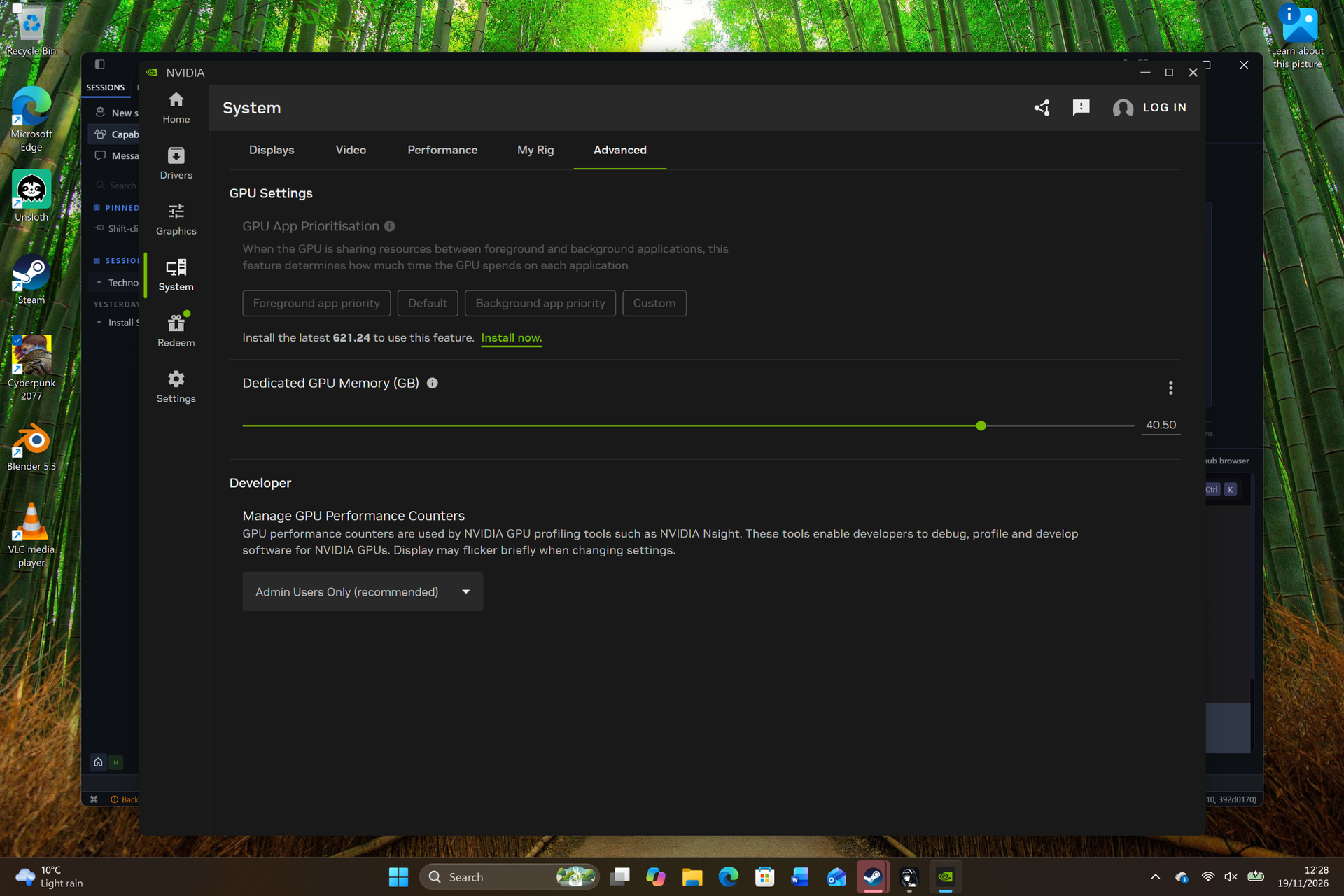
One of the benefits of the unified memory design is that via a slider in the Nvidia app, you can change the memory allocation. By default, it divides the memory equally between CPU and GPU, so in my 64GB model I had roughly 32GB system memory and 32GB GPU, but I changed this so that the GPU has 40GB of memory. After restarting the laptop, the difference in gaming performance was noticeable – with the same settings, I managed to get 68fps on average. I appreciated how easy it was to change the memory allocation in the Nvidia app, and was impressed with the results after just a bit of tweaking – setting aside more time to have a play with the settings, both in the app and in the game, will likely yield even better gaming performance.
One thing to note is that when I was using Hermes to install the Blender app, the laptop shut down without warning, then took several minutes to boot back up. Using an AI agent to download and install known apps is also a handy solution (as long as you make sure it gets the downloads from safe places), but when trying this with Blender, it spent around an hour or so trying to download, install and then open Blender, and got confused about why it wasn’t working. In the end, it seemed like Windows 11’s ‘Smart App Control’ security feature was blocking the app from opening.
This is a decent security feature to stop random files from the internet from being run, but it was a frustrating case of Windows 11 getting in the way, and then the AI not being smart enough to figure it out. What would have taken me a matter of minutes to do myself (download, install and run Blender from the website) ended up taking a huge amount of time and effort – from both the RTX Spark-powered AI agent and me.

One last note on performance – during local AI tasks and when gaming, the fans on the Microsoft Surface Laptop Ultra got very loud – distractingly so. I’m used to this with gaming laptops, but premium pro-grade laptops have managed to become pretty quiet thanks to power efficiency. I know I have banged on a bit about the MacBook Pro but, in comparison, it’s a lot quieter, with the fans only seeming to whirr up noticeably during long, intensive work. The upper keyboard of the Microsoft Surface Laptop Ultra, and the space above it, also got very hot to the touch.View Deal
Microsoft Surface Laptop Ultra review: Battery Life
Battery life results
How long does the battery last?
| Attribute | Microsoft Surface Laptop Ultra | Apple MacBook Pro with PROLED XDR Display 16-inch (2026, M5 Max) | Asus ProArt P16 RTX Spark |
|---|---|---|---|
| Battery life video test | 7.383333333333334 | 24.35 | 11.383333333333333 |
When reviewing a powerful workstation laptop, battery life isn’t the most pressing concern: these are usually laptops termed desktop replacements that, as the name suggests, act more like desktop PCs. Their components need a lot of power to run, which drains the battery more quickly.
Recently, Arm-based chips have come out that better balance performance with power efficiency, so battery life shouldn’t drain as quickly, and at the launch of RTX Spark devices, Nvidia was keen to highlight that the RTX Spark does not throttle performance when on battery power.
So, during our battery benchmark tests, having the Microsoft Surface Laptop Ultra last over 10 and a half hours is quite impressive. However, in the same tests, the MacBook Pro 16-inch with M5 Max lasted 21 hours and 24 minutes.
Suddenly, the Microsoft Surface Laptop Ultra only managing half of its closest rival isn’t so impressive.

Weirdly, in our movie benchmark test, which runs a looped 1080p video at 50% brightness, the Surface Laptop Ultra did even worse, lasting seven hours and 23 minutes. This is usually a less intensive test of the battery, so I was surprised to see it drain more quickly – I assume there might have been some background tasks being run at the same time (I left it to run overnight). Regardless, this is a noticeable step down from the MacBook Pro.View Deal
Should I buy the Microsoft Surface Laptop Ultra?
Buy the Microsoft Surface Laptop Ultra if...
✅ You’re all-in on AI workflows
The local AI performance of the RTX Spark inside the Microsoft Surface Laptop Ultra is impressive, and it’s nice not having to worry about tokens, subscriptions and sharing your data.
✅ You want a laptop for heavy graphical workloads
Nvidia’s pedigree with graphics technology is on full display with the Surface Laptop Ultra’s RTX Spark chip, making it a great tool if you’re a 3D artist or game developer.
✅ You don’t like Apple
The Surface Laptop Ultra is in many ways a lot like the MacBook Pro, but running Windows 11 rather than macOS. If you like the look of Apple’s pro laptops but don’t like Apple’s way of doing things, this could be a good alternative.
Don't buy the Microsoft Surface Laptop Ultra if...
❌ You have no interest in local AI
So much of the Microsoft Surface Laptop Ultra, and the RTX Spark chip it runs on, is geared towards local AI, sometimes at the expense of other things (such as battery life), so if you’re not all-in on local AI, don’t get this laptop.
❌ You want a portable workstation laptop
The Microsoft Surface Laptop Ultra is heavier, and its battery life is drastically shorter than its main rival, the MacBook Pro, so if you want a powerful workstation laptop that you can work on wherever you want, Apple’s laptop is the better choice.
❌ You don’t like tweaking
To get the most out of the Surface Laptop Ultra, you’ll need to do quite a bit of tweaking, including picking an AI agent, installing a local Large Language Model (LLM), setting the memory allocation and more. For tinkerers, this might sound like a dream, but for others, it could be a nightmare.
Also consider
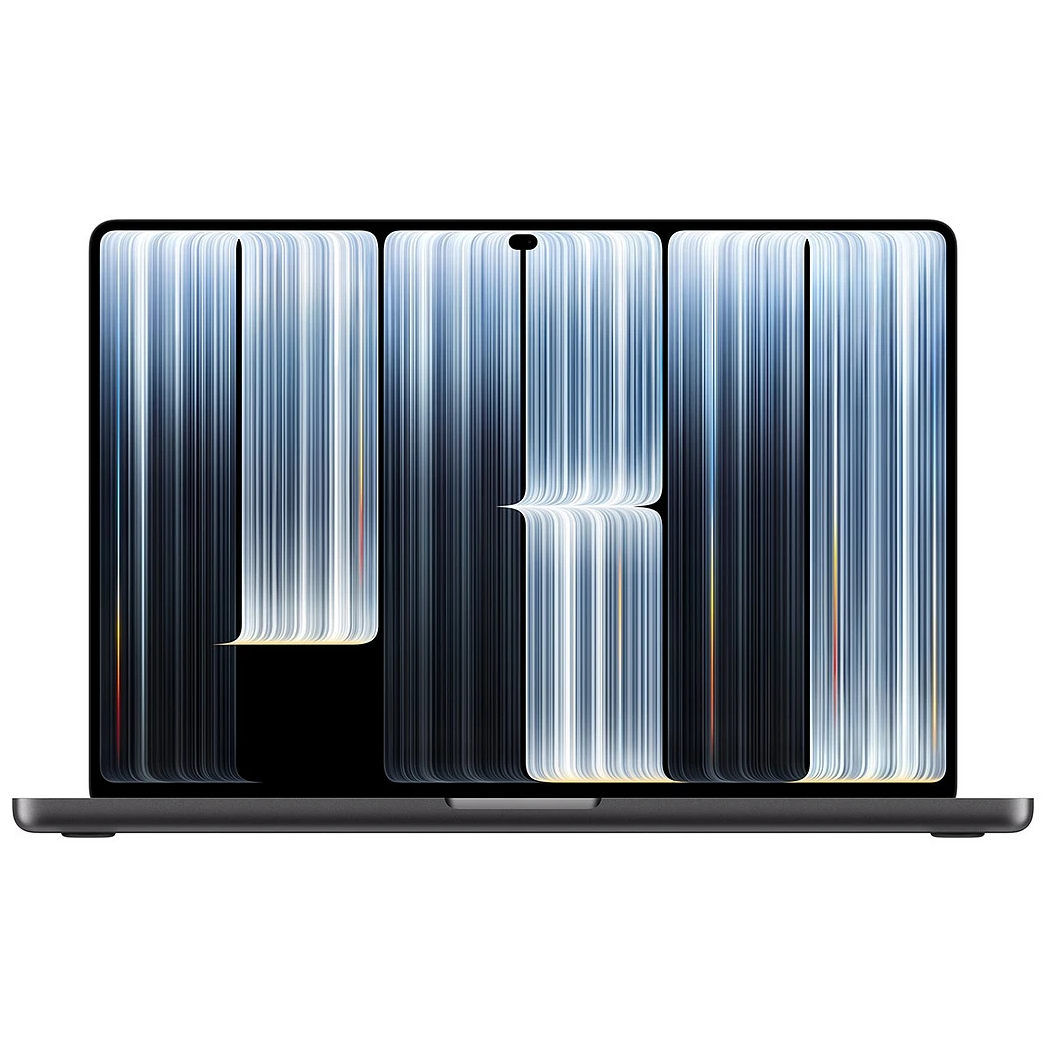
Pros
- Gorgeous display
- Incredibly long battery life
- Excellent performance
Cons
- Touchscreen features feel a bit undercooked
- Very expensive
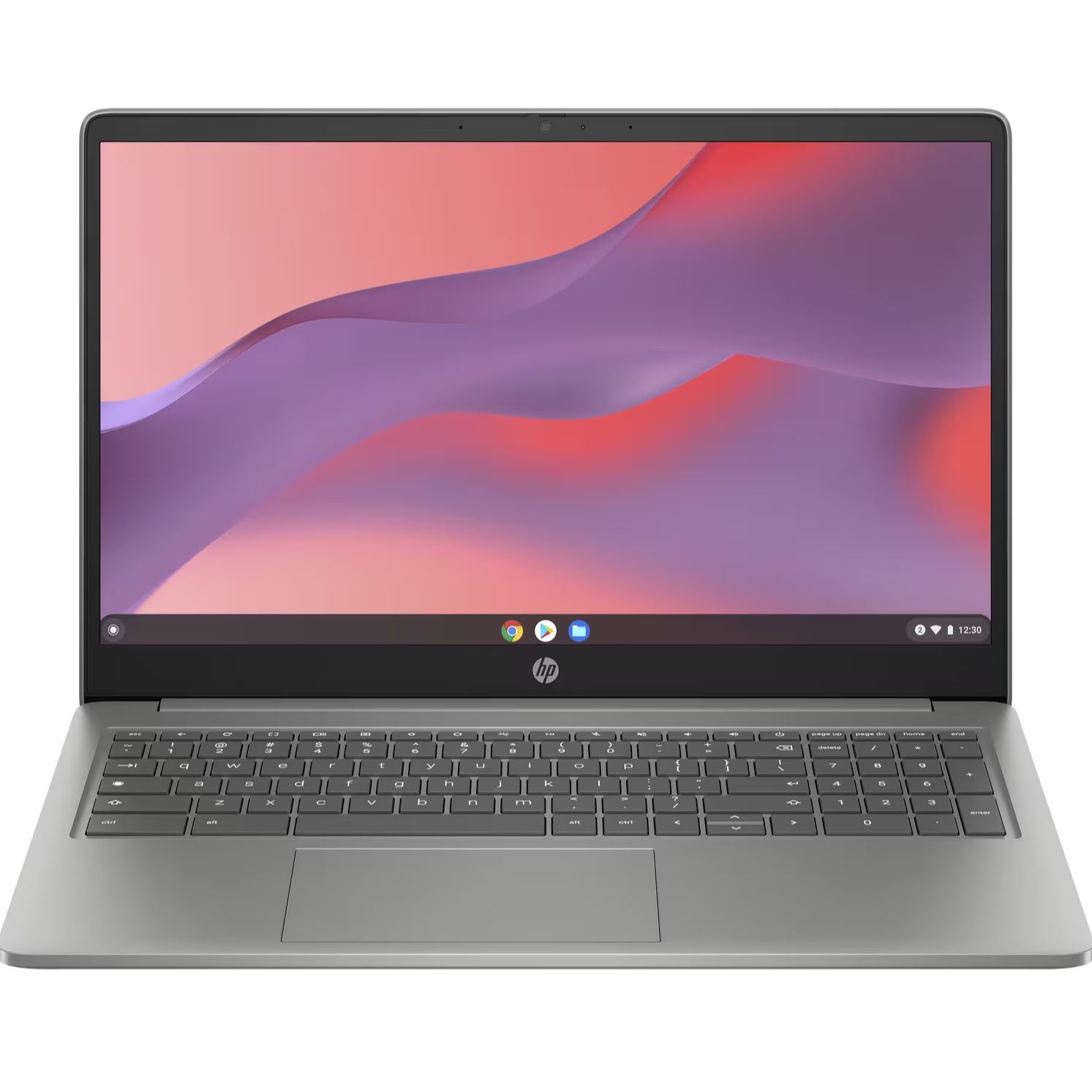
Pros
- Stunning 3K OLED screen
- Stylish, lightweight design
- Strong creative, AI and gaming performance
Cons
- Very expensive
- Bested by dedicated gaming or creative laptops
How I tested the Microsoft Surface Laptop Ultra
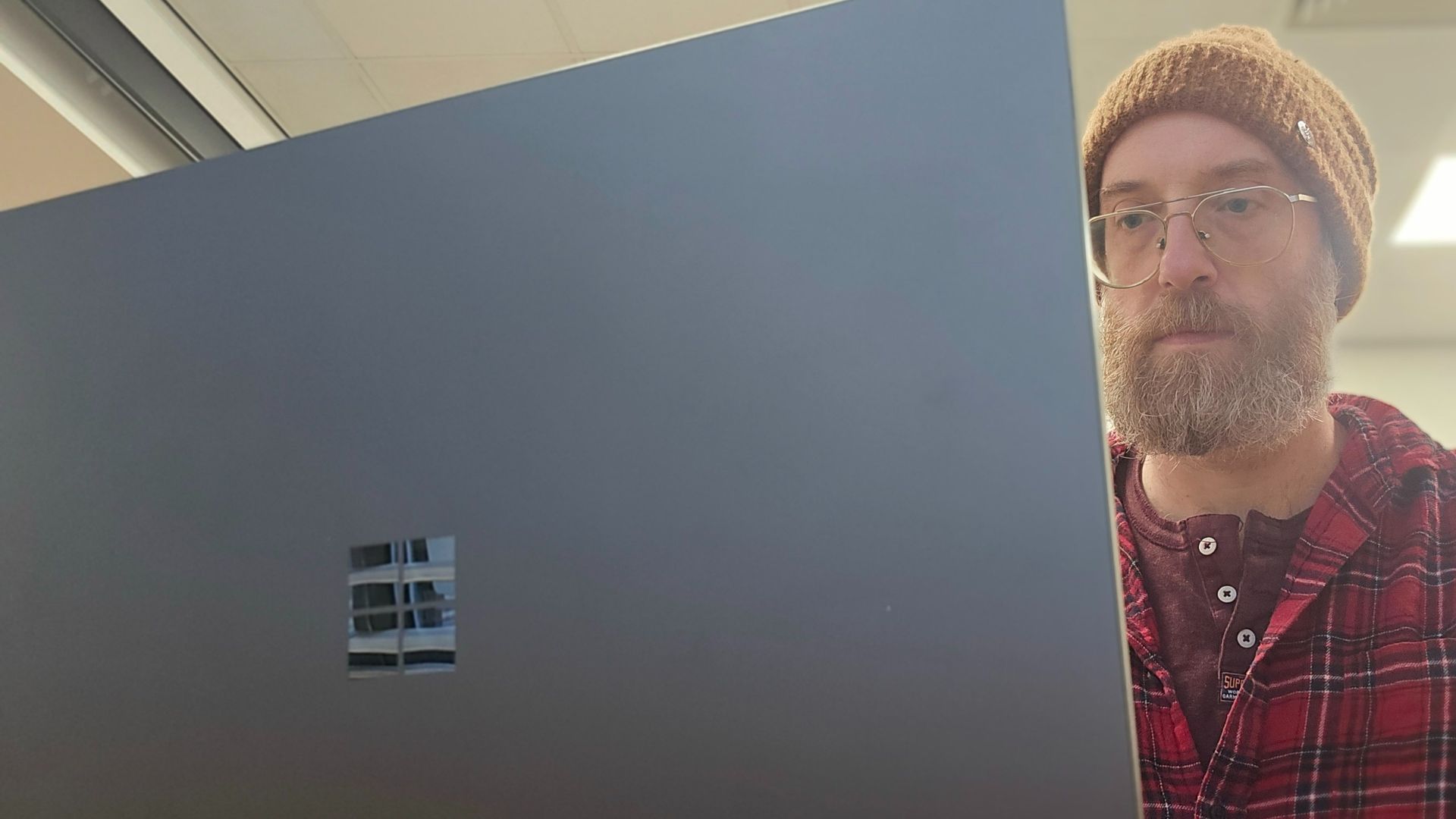
- Used daily for around two weeks
- Installed and ran the Hermes agent and Qwen3.8 27B LLM
- Ran benchmarks and various apps and tasks
I used the Microsoft Surface Laptop Ultra for around two weeks while I wrote this review, and that included setting up Hermes AI and installing a local LLM, and playing around with that. I have also been to several launch events and briefings for the RTX Spark chip, so I knew how to properly test and rate both the chip and the Surface Laptop Ultra.
I’ve been reviewing laptops, including creative workstation laptops and MacBooks, for almost 20 years and have used that experience to help evaluate the Surface Laptop Ultra.
- First reviewed: November 2026
- Read more about how we test


